
Introduction
Logging into 3 Patti Pearl is the continuity gate for everything you do after install. A working Logon protects progress across reinstalls far better than a Guest profile that disappears when cache is cleared. This page focuses on sign-in choices, OTP patience, session stability, and security habits for Android users in Pakistan. It does not promise reward unlocks through strangers, and it does not treat login as a gameplay hack.
Many beginners open the splash screen, tap Play as Guest, enjoy a short look, then lose the profile later. That pattern is avoidable. If you already registered or bound an email, use Logon with the same credentials on stable internet. If you have not registered yet, treat Guest as a brief tour only. The goal of a clean login is a lobby that belongs to an account you can recover.
Password reuse from social apps is a quiet risk. So is sharing OTP codes with anyone who claims to be support. Real account recovery uses official reset flows and in-app Support with details you control — never a password typed into a random chat.
Logon vs Guest
Logon uses account credentials. Guest is temporary convenience. Guest can be fine for checking whether the app opens. It is a poor home for bonuses, referrals, and long practice history because device changes and cleanup tools can wipe local state. When you care about continuity, move to a registered path before you invest evenings in the lobby.
| Mode | Best use | Risk if overused |
|---|---|---|
| Logon | Daily play with recovery options | Weak passwords if you reuse simple patterns |
| Guest | Short exploration only | Progress loss after reinstall or cache clear |
| Reset / Forget Password | Recovery when memory fails | Phishing pages that imitate reset |
- Use Logon after you have credentials you can access today
- Register or Bind Mail before progress you would hate to lose
- Save the password in a private notes tool you control
- Prefer Wi‑Fi for the first successful login after install
- Confirm the profile or ID in-lobby matches what you expect
Login Steps
- Open 3 Patti Pearl and choose Logon rather than endless Guest retries
- Enter the email and password for the Account form your build shows
- If the password fails, use Reset or Forget Password instead of rapid guessing
- Complete any OTP or verification on the same device without sharing codes
- Wait for the lobby to load and verify the account identity
- If the session looks wrong, sign out and repeat once on stable Wi‑Fi
Match button labels to your installed version. Some builds emphasize email strongly; others show additional entry paths. The principle stays the same: one calm attempt with correct credentials beats twenty angry retries that trigger temporary blocks.
OTP Delays and Calm Retries
SMS OTP can arrive late during busy hours on local networks. Email OTP can land in spam. Spamming resend immediately often makes the wait worse and can trip rate limits. Confirm the phone number or inbox spelling first. Wait a reasonable window, check filtered mail, then request a new code if needed.
Nobody legitimate needs your OTP to repair login, unlock VIP, or release a referral. That request is a theft pattern. If a helper asks for the code, end the conversation and use official Support channels with non-secret details such as your visible account ID — never the password.
Refuse OTP sharing requests. Account recovery does not require handing a live code to a stranger.
Session Stability After You Are In
A login can succeed and still drop later when the network flips from Wi‑Fi to 4G mid-hand. Stabilize connectivity before long sessions or reward claims. Force-stopping the app once after a messy drop, then signing in again on Wi‑Fi, is cleaner than launching VPN hopping experiments during a login loop.
When the Splash Loops
Splash loops are often network or stale-session problems rather than proof that the account vanished. Confirm general internet works in the browser. Retry on Wi‑Fi. Avoid clearing all data while you are still Guest-only. If you use a registered account, keep credentials ready before any cleanup step so you can return.
- Do not rapid-fire login attempts during server busy moments
- Re-check that Caps Lock or autofill did not alter the password
- Prefer one device for primary login while you are troubleshooting
- After login, open profile once to confirm identity before joining tables
Security Habits Worth Keeping
Use a unique password for entertainment apps when you can. Avoid logging in on unknown shared phones. Do not store passwords in public group chats. If you suspect someone else entered your account, change the password through official reset and review active sessions if the app exposes that information. Login security is dull on purpose — dull beats dramatic recovery.
| Habit | Why it helps | Pakistan-friendly note |
|---|---|---|
| Wi‑Fi for first login | Fewer half-loaded sessions | Evening mobile data can be bursty |
| Private password storage | Reduces reuse mistakes | Notes apps beat chat drafts |
| OTP privacy | Stops account takeover | Ignore “support” OTP requests |
| Early Bind Mail | Recovery path | Do this before long reward streaks |
Common Login Mistakes
Login mistakes cluster around impatience and social engineering. People create a second Guest because the first login was slow. People install “login unlocker” APKs. People type the password for a different email. People also chase private table rumors while the real issue is a wrong credential or unstable network — a distraction that wastes the session.
- Wrong account identity mixed with a familiar password
- Resend spam during OTP delay windows
- Trusting chat agents who demand codes
- Clearing data on an unbound Guest profile
- Treating VPN hopping as the first fix for every failure
After a Successful Logon
Once the lobby loads on the correct profile, slow down. Learn where bonus areas and Support live. Keep the first sessions short. If you have not bound recovery details, do that before you care about streaks. Login success means you can begin playing calmly — it does not mean outcomes are fixed, and it does not authorize unsafe spending to “test” the account.
Credential Hygiene on Shared Devices
Family phones in Pakistan often pass between siblings and parents. If Pearl lives on a shared device, treat the password like a house key rather than a casual nickname. Do not leave autofill active for entertainment credentials when children use the same profile. Log out when you finish if the household habit is messy. Shared access is convenient until someone clears data, changes the password as a joke, or installs a lookalike app beside yours.
When you switch phones, plan login before you wipe the old handset. Export nothing sensitive through chat apps. Complete Logon on the new device while you still control the email or number tied to recovery. Phone swaps are a common login crisis because people factory-reset first and remember credentials second.
Autofill and Keyboard Traps
Password managers and keyboard suggestions can insert an old email you forgot was saved. Caps Lock on Bluetooth keyboards creates false “wrong password” loops. Before you reset anything, type credentials manually once in a private notes field to see exactly what characters appear. Autofill is helpful until it silently selects the wrong identity.
- Verify the email field before tapping Logon
- Disable autofill temporarily when troubleshooting
- Check for trailing spaces copied from chat forwards
- Use Reset only after one careful manual attempt fails
Multi-Device Caution
Some players keep Pearl on a primary phone and occasionally open it on a tablet. That can work when each device uses the same recoverable account and stable network. It fails when each device holds a different Guest profile or when one device runs an outdated build from a random mirror. If you use two devices, update both through the same careful source habit and confirm the same account ID in the lobby.
Login troubleshooting belongs on stable Wi‑Fi with calm retries. Panic resets and mod APKs usually make recovery harder, not faster.
| Login symptom | Try first | Avoid first |
|---|---|---|
| Wrong password message | Manual retype; check autofill | Five instant resets |
| OTP never arrives | Wait; check spam; verify number | Sharing OTP in WhatsApp |
| Splash loop after login | Wi‑Fi retry; one force-stop | Clear all data on Guest |
| Account looks empty | Confirm profile ID matches | Creating a second Guest |
Credential Inventory Before You Troubleshoot
When login fails, write down what you believe is true: email spelling, whether you ever bound mail, whether you last used Guest, and which phone previously worked. Many “broken login” stories are mixed identities. Autofill may suggest a password for a different entertainment app. Slow verification beats twenty incorrect submissions that look like attacks to rate limiters.
If you share a household tablet, confirm nobody else created a second Guest and started using bonus panels there. Household confusion is common and fixable without panic. Keep one primary phone for account recovery whenever you can. Moving between devices is fine after credentials exist; it is fragile while everything still lives in temporary Guest storage.
| Inventory item | Why ask | Where to look |
|---|---|---|
| Email used at bind | Correct Logon identity | Private notes / inbox search |
| Last successful device | Session context | Phone you used last week |
| Guest vs registered | Recovery options differ | Splash choices you remember |
| Recent password change | Stale autofill risk | Reset confirmation mail |
Wi‑Fi-First Retries
Perform recovery attempts on Wi‑Fi when possible. Mobile data can deliver a partial lobby load that looks like an auth bug. Toggle airplane mode once to clear a stuck radio state, reconnect to Wi‑Fi, and try a single Logon. Avoid stacking VPN endpoints during the same attempt; change one variable at a time so you know what helped.
- Confirm general browsing works
- Force-stop the app once
- Reconnect to trusted Wi‑Fi
- Attempt Logon a single time with verified credentials
- Only then consider password reset
Phishing Lookalikes Around Login
Fake pages and chat agents imitate reset flows. They ask for passwords or OTPs with urgent language about VIP freezes or referral seizures. Official recovery happens inside the installed app or through channels the app itself surfaces. If a link arrives from an unknown number claiming your Pearl account will be deleted in ten minutes, slow down. Urgency is the hook.
- Never type your password into a random browser form from chat
- Never dictate OTP to a voice caller
- Compare domain spellings carefully if you ever use web resources
- Use in-app Support with account ID, not secrets
A stable login habit also includes logging out on borrowed phones and not leaving the lobby open on retail demo devices. These are ordinary digital hygiene steps. They feel excessive until the first time a cousin’s friend taps the wrong buttons for ten minutes. Protect the account like any other app that stores progress you care about — without confusing that caution for a promise of profitable cards.
Family Shared Devices
On shared Android phones, prefer not to stay signed in unattended. If someone else needs to try the app, help them create their own registered path rather than handing over yours. Shared Logon is how referral and bonus histories become arguments. Separate accounts keep entertainment friendlier.
Password Reset Path Without Side Quests
Use Forget Password or Reset inside the app when memory fails. Enter the email you bound, wait for the message, and complete the flow once. Side quests include downloading recovery APKs, paying chat agents, or creating a brand-new Guest “temporary” account that becomes permanent confusion. Reset is dull and correct.
If reset mail does not arrive, check spam, confirm spelling, and wait out provider delay before repeating. Then try again on Wi‑Fi. Keep a private note of the date you reset so you remember why an old autofill password suddenly fails. Autofill lag after resets causes many false “account stolen” scares that are really stale suggestions.
| Reset stage | Do | Do not |
|---|---|---|
| Request | Use in-app control | Use random web forms from chat |
| Mail wait | Check spam + wait | Resend every ten seconds |
| Completion | Set a new unique password | Reuse the leaked social password |
| Afterward | Logon once to confirm | Stay on Guest as a workaround |
Session Etiquette After Login
Once inside, avoid rapid backgrounding during sensitive claims or account changes. Let screens finish loading. If you must answer a call, finish the login transition first. Half-loaded account screens plus impatient taps create state bugs that look like security failures. Calm navigation is part of login reliability even after credentials are correct.
Screenshots
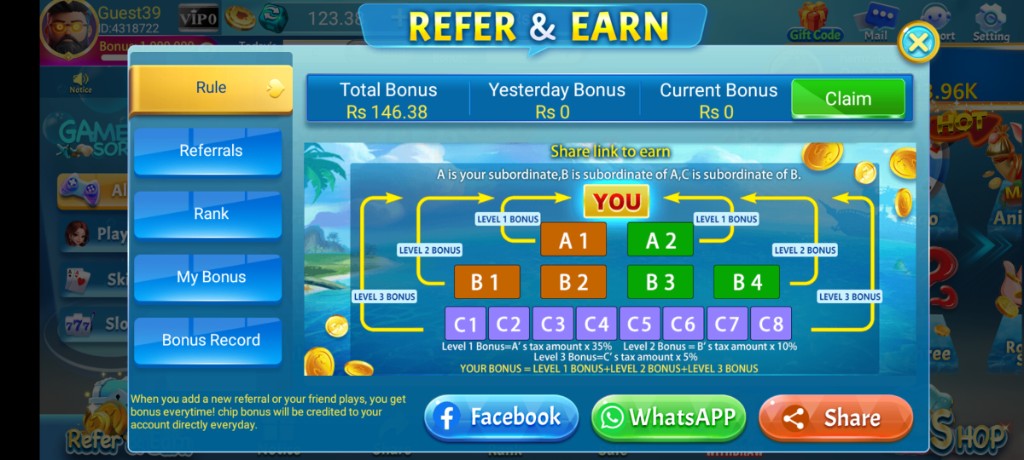
These are real app UI screenshots to make each step easier to follow. Balances and events can change, so always match what you see in your installed version.
Frequently Asked Questions
What is the difference between Logon and Guest?
Logon uses your account credentials. Guest is temporary and easier to lose after reinstall or cache clears.
Why is OTP delayed in Pakistan?
SMS routing delays happen. Wait before spamming resend, and confirm the number or email is correct.
Can I share my OTP with a helper?
Never. Real support does not need your OTP to “unlock chips” or fix login.
Why does my session drop mid-game?
Wi‑Fi to 4G switches and weak signal are common. Stabilize network before important claims or long sessions.
I forgot my password. What now?
Use the in-app reset or Forget Password flow with email verification. Do not install random recovery APKs.
Should beginners start as Guest?
You can explore briefly, but bind or register before any progress you care about.
Conclusion
After a successful Logon, learn rules before jumping into long sessions.
Next step: How to Create a 3 Patti Pearl Account.