
Introduction
Downloading the 3 Patti Pearl APK is the first practical step for many Android users in Pakistan who want a Teen Patti-style lobby without treating a file transfer like a shortcut to profit. This page stays inside one job: obtain a complete installer package from a source you can evaluate, prepare the phone so the transfer does not corrupt, and know what comes next. It is not a gameplay lesson, not a bonus tutorial, and not a pitch for modified packages.
An APK is simply an Android package. It does not contain secret card scripts, fixed daily cash, or a private win mode. If a download page leads with hack language, unlimited balances, or guaranteed earnings, treat that as a reason to leave rather than a reason to hurry. Your success metric here is a finished file with a sensible size, a note of the version label, and a calm path into install.
Pakistan network conditions matter because large files pause more often on congested evening mobile data. Jazz, Zong, Telenor, and Ufone can all finish a transfer, yet unstable signal near the end is a common cause of “almost done” failures. Prefer a trusted Wi‑Fi session for the first full download when you can. If you must use mobile data, keep the screen awake, pause competing downloads, and avoid hopping across three mirrors in the same hour.
What an APK Download Actually Delivers
When people search for a 3 Patti Pearl APK download, they usually want a direct installer because store availability can vary by region or device. The deliverable is the package file itself. Opening that file later is install. Signing in later is account access. Mixing those stages creates avoidable confusion: a finished download does not mean the lobby is ready, and a bright “latest” badge on a webpage does not mean the file is trustworthy.
Source quality beats speed. A clean page with clear naming, fewer forced redirects, and no survey wall is more useful than a mirror that claims it is three minutes newer. Save the version string you intended to fetch. That habit helps when you later compare what the installed app reports, and it reduces the urge to reinstall from every link a group chat forwards.
| Download item | What it means | Practical check |
|---|---|---|
| APK package | Installer file for Android | File size is non-zero and complete |
| Version label | Build identity | Write it down before you install |
| Source page | Trust and clarity of origin | Skip spam layouts and odd renames |
| Network path | How the bytes arrive | Prefer stable Wi‑Fi for first fetch |
| Next stage | Install, not play | Open the install checklist after the file lands |
Evaluating a Download Source Without Panic
You do not need advanced security tooling to reject obvious bad pages. Look for aggressive pop-ups that push unrelated APKs, countdown timers that invent urgency, and claims that the package includes trainers or unlimited chips. Those patterns are entertainment-industry spam more often than helpful distribution. Prefer pages that describe file handling in plain language and do not demand personal passwords before a download begins.
Shortened links from strangers deserve extra caution. A WhatsApp forward can hide the real landing domain. If you cannot tell where the file originates, pause. Public café Wi‑Fi is also a weak place for first-time installer downloads because interruptions and untrusted networks stack risk. Home or known Wi‑Fi is usually calmer for a single clean transfer.
- Reject pages that sell “mod”, “hack”, or “100% win” packages
- Avoid survey walls and forced APK renames that hide the real file
- Prefer one evaluated source over five random mirrors in one sitting
- Do not enter account passwords on download landing pages
- Leave if the page mixes banking urgency with installer hype
Device Prep Before You Start the Transfer
Incomplete downloads often share the same boring causes: almost-full storage, an old duplicate APK with the same name, and a browser that pauses when the screen sleeps. Free meaningful space first. Clearing WhatsApp media, unused APKs, and large videos is more effective than deleting a few tiny images. Keep the battery at a comfortable level so the phone does not throttle mid-transfer.
Know which app will receive the file — Chrome, another browser, or a files app — because that same app may later need install permission. You do not need to enable unknown-app install permission during download. That setting belongs to the install stage. Enabling every installer in advance is a habit that increases exposure without speeding up a careful download.
- Free roughly 1–2 GB so the file and temporary cache have room
- Delete old duplicate 3 Patti Pearl APKs that could confuse you later
- Pause heavy system updates or other large downloads
- Keep the screen awake if your browser aggressively suspends transfers
- Note approximate expected size if the page shows one
- Start one download only; do not launch three mirrors in parallel
Network Habits That Reduce Corrupt Files
A strong signal with a bad source is still a bad outcome. A weaker signal with a careful source is mostly a patience problem. Prioritize source trust, then optimize speed. If the transfer stalls near the end, do not immediately open a second random mirror. Confirm storage, restart the phone once if needed, and retry the same trusted path on steadier Wi‑Fi.
Browser extensions that promise turbo downloads are unnecessary risk for this use case. Likewise, “accelerator” apps from unknown publishers add attack surface without improving judgment about the source. For Pakistan users, the highest leverage move is often scheduling the first full APK fetch when home Wi‑Fi is free rather than forcing it during peak mobile congestion.
Evening Congestion Without Overreacting
Evening congestion can pause large files even when social apps still feel fine. That does not mean the APK ecosystem is broken. It means your phone is competing for bandwidth. If YouTube buffers hard on the same network, postpone the installer download. Waiting thirty minutes for a clean transfer beats collecting three half-files with similar names.
Version Notes Without Mirror Hopping
“Latest” is marketing language until you record an actual version string. Two sites can disagree about what is newest, and chasing every claim creates signature conflicts at install time. Pick one source you trust, finish that file, and keep the label. After install, compare the in-app version if it is visible. Updating later should be a deliberate choice, not a panic response to a screenshot in a status forward.
Older builds are not automatically safer, and newer builds are not automatically magical. What matters is continuity: one package lineage, careful install, then account binding. If a page refuses to show any version identity and instead only shouts urgency, treat that as low clarity rather than high value.
After the File Finishes
When the transfer completes, verify the file is present and not zero bytes. Open your downloads list or file manager and confirm the name looks like the package you expected. Only then move to install steps. Do not join tables from a half-installed state, and do not celebrate download completion as if the account were already secured.
- Confirm the APK exists in Downloads or your chosen folder
- Reject tiny files that finished too quickly for their claimed size
- Keep the good file; delete obviously failed partial copies
- Proceed to install on the same day when possible so you remember the source
- Plan login or registration after first launch, not during the download
A download page cannot improve your cards. If marketing insists otherwise, exit and keep your storage clean.
Common Mistakes Unique to APK Fetching
The mistakes that hurt most at this stage are source chaos and incomplete-file denial. People install from three mirrors because each one looks one minute newer. People ignore a truncated file and blame Android later. People leave unknown-source permission wide open for every app before they even have a package. People also believe a download can guarantee winnings, which is a category error: transfer hygiene is not table skill.
| Mistake | Why it hurts | Better habit |
|---|---|---|
| Mirror hopping in one hour | Conflicting packages and confusion | One trusted source per attempt |
| Ignoring incomplete files | Parsing and install failures later | Check size before opening |
| Enabling every installer early | Broader install risk | Wait until install stage |
| Chat-forward APKs from strangers | Unknown origin | Evaluate the landing source |
| Believing hack download claims | Malware and false expectations | Standard package only |
Final Download Checklist
- You chose a source you can describe in one sentence
- Storage and battery are ready
- Network is stable enough for a full transfer
- The finished file is complete and labeled in your notes
- You are ready for install — not for bonus myths or win scripts
If those boxes are checked, the download job is done. Continue with install permissions, a clean first open, and account setup. Keep entertainment boundaries clear: cards remain chance-based play, and no APK ritual converts them into a salary plan.
File Integrity Signals Before Install
Integrity checks do not require special software. Compare the finished file size against what the source page claimed, if anything was stated. A package that finishes in seconds but claims to be hundreds of megabytes is suspect. Tap the file once in your manager and confirm Android recognizes it as an installable package rather than a generic document. If the name was renamed to hide the extension, rename it back carefully or discard it and fetch again from a clearer source.
Keep one good copy until install succeeds. Duplicates with suffixes like (1) or (2) often mean a failed partial transfer restarted beside a complete one. Delete the smaller duplicate before you open the wrong file and waste an evening on parsing errors that were never about the app brand.
- Non-zero file size that matches reasonable expectations
- One primary copy in Downloads with a clear name
- No simultaneous downloads from competing mirrors
- Version label written in your notes before install begins
File Hygiene After Multiple Attempts
If a first transfer fails, your Downloads folder can fill with near-identical names. Rename the good candidate clearly, such as including the date, and delete obvious partials. Opening the wrong leftover file is a classic way to recreate a parsing error you already solved. A tidy folder also makes it easier to tell Support which package you intended if an install conflict appears later.
Do not keep every experimental mirror “just in case.” Extra packages increase the chance you install the one you meant to discard. One complete file from one evaluated source is enough to proceed. When you later update, repeat the same hygiene instead of stacking five generations of APKs beside WhatsApp videos.
- Rename the keeper file before you start install
- Delete failed partial downloads the same day
- Keep notes of source and version beside the filename
- Avoid storing installer files inside shared family folders without labels
Clean Handoff to Install
When the download checklist is complete, stop expanding the job. Do not keep browsing mirror lists “for insurance.” Hand off to install with one file, one version note, and enough battery to finish prompts. The cleanest downloads are boring: no drama, no hack banners, no incomplete leftovers cluttering the folder.
Screenshots
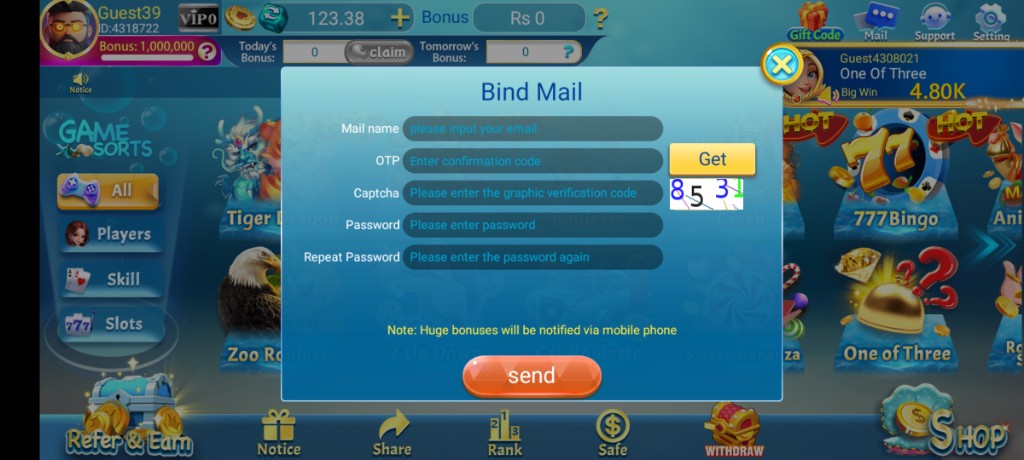
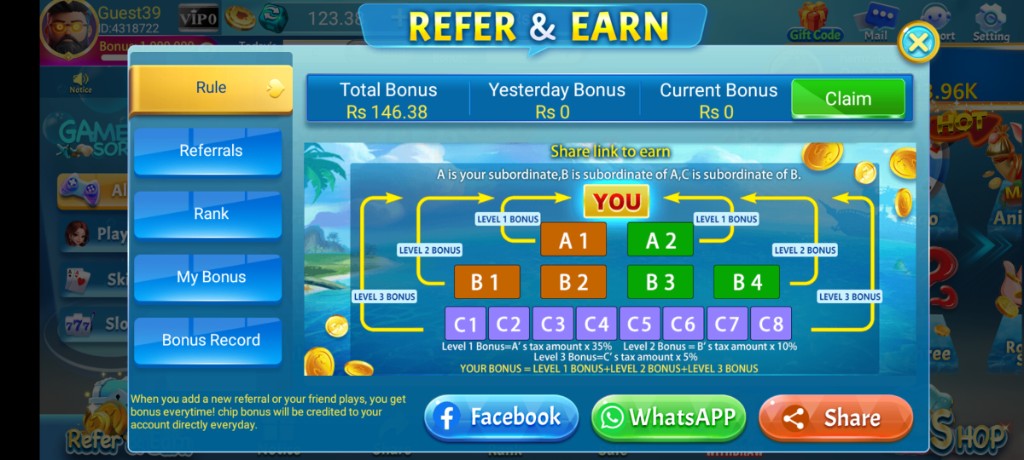
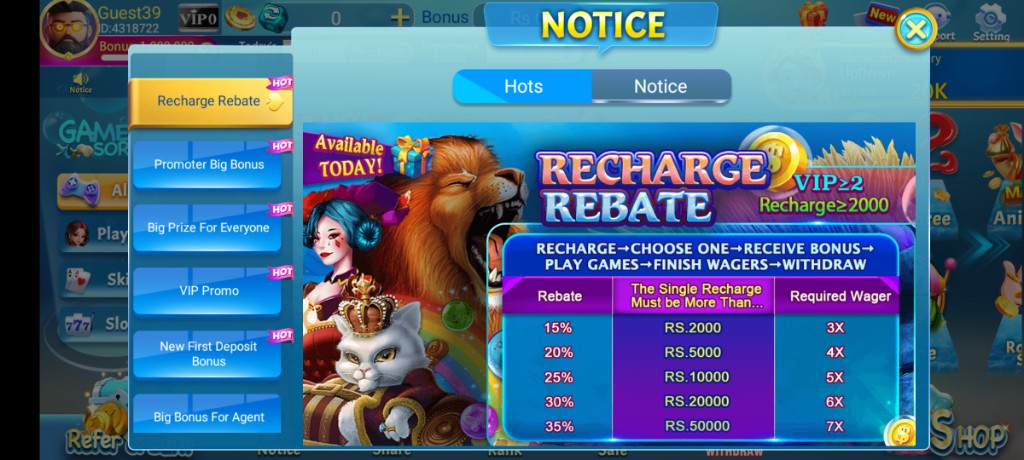
These are real app UI screenshots to make each step easier to follow. Balances and events can change, so always match what you see in your installed version.
Frequently Asked Questions
Is a 3 Patti Pearl APK download enough to start playing?
No. Download only gives you the installer. You still need a successful install, internet for first launch, and login or registration.
Should I download on mobile data in Pakistan?
You can, but unstable signal may create incomplete files. Trusted Wi‑Fi is safer for the first full download.
What if two sites show different latest versions?
Prefer a source you trust, note the version you install, and avoid hopping between random mirrors in one session.
Do I enable unknown sources before downloading?
Usually no. Enable install permission when you are ready to install, then review that setting afterward.
Can a download pages promise better card results?
No. An APK pages is about setup hygiene. Avoid pages selling hacks, unlimited balances, or guaranteed profits.
What should I do right after the file finishes?
Verify the file, follow the install pages, open the app on stable internet, and complete account setup.
Why does download restart near 99%?
Network drops, browser interruptions, or low storage often cause this. Free space and retry once on steadier Wi‑Fi.
Conclusion
If the file is complete, continue to install next — download alone does not open the lobby.
Next step: How to Install 3 Patti Pearl APK on Android.